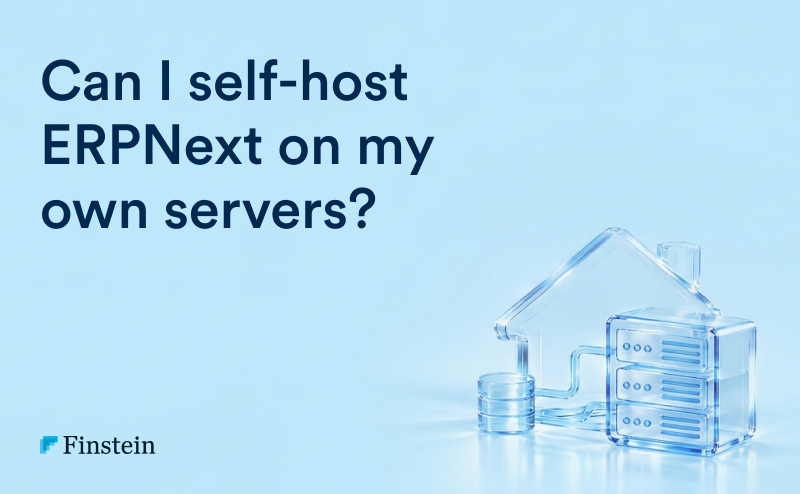
Yes. ERPNext can be self-hosted on any Linux server you control, whether a cloud VPS on AWS, Azure, or DigitalOcean, or a physical server in your office. The GPL v3 licence places no restriction on where you run it or how many users you add. You need a supported Linux distribution, MariaDB, Redis, Nginx, and the Frappe bench tool, plus someone accountable for backups, security patches, and upgrades.
Key facts (as of September 2026)
- Licence: GPL v3. Self-hosting is fully permitted, including for commercial use.
- Supported OS: Linux only for production, typically Ubuntu LTS or Debian. Windows is not supported for production.
- Two official install paths: bench (native) and frappe_docker (containers).
- Practical minimum for production: 2 vCPU, 4 GB RAM, 40 GB SSD. Recommended for 25 to 50 users: 4 vCPU, 8 to 16 GB RAM.
- Alternative: Frappe Cloud, the official managed hosting platform, which removes server administration.
What does self-hosting ERPNext mean?
Self-hosting means you provision and operate the infrastructure that runs ERPNext, rather than subscribing to a managed platform. There are three variants:
| Variant | Description | Typical user |
| Cloud VPS | A virtual machine from AWS, Azure, Google Cloud, DigitalOcean, Hetzner, or E2E Networks | Most self-hosting SMEs |
| On-premise | A physical server in your office or factory | Plants with unreliable internet, strict data policies |
| Private cloud or data centre | Colocated or company-owned virtualised infrastructure | Larger groups with IT teams |
In all three cases, you own the operating system, the database, the backups, and the responsibility.
What are the server requirements for ERPNext?
Software stack
- Operating system: Ubuntu LTS (22.04 or 24.04) or Debian. Check the official Frappe documentation for the exact versions supported by your ERPNext release.
- Database: MariaDB
- Cache and queue: Redis
- Web server and reverse proxy: Nginx
- Process manager: Supervisor or systemd
- Runtime: Python and Node.js, at the versions specified for your ERPNext version. Version 16 requires newer Python and Node releases than version 15, so confirm before provisioning.
- Tooling: bench CLI, wkhtmltopdf for PDF generation, Let’s Encrypt for SSL
Hardware sizing guide
| Concurrent users | vCPU | RAM | SSD storage | Notes |
| Up to 10 | 2 | 4 GB | 40 GB | Single server is adequate |
| 10 to 25 | 2 to 4 | 8 GB | 80 GB | Tune MariaDB buffer pool |
| 25 to 50 | 4 | 16 GB | 160 GB | Consider separate background workers |
| 50 to 150 | 8 | 32 GB | 320 GB+ | Separate database server recommended |
| 150+ | Multi-server | 64 GB+ | As required | Load balancer, read replicas, dedicated workers |
Sizing depends on transaction volume, not just headcount. A 20-user distributor raising 1,500 invoices a day with heavy stock ledger activity needs more than a 60-user services firm.
How do I install ERPNext on my own server?
There are two supported methods.
Method 1: bench (native installation)
Best when you want full control and straightforward troubleshooting.
- Provision an Ubuntu LTS server and create a non-root sudo user.
- Install prerequisites: Python, Node.js, yarn, MariaDB, Redis, Nginx, wkhtmltopdf.
- Secure MariaDB and set the character set to utf8mb4.
- Install bench with pip.
- Initialise a bench: bench init frappe-bench –frappe-branch version-16
- Create a site: bench new-site erp.yourcompany.com
- Get and install apps: bench get-app erpnext, then bench –site erp.yourcompany.com install-app erpnext. Repeat for hrms and india_compliance if required.
- Set up production: sudo bench setup production <user> which configures Nginx and Supervisor.
- Enable SSL: sudo bench setup lets-encrypt erp.yourcompany.com
- Enable the scheduler and configure backups.
Method 2: Docker (frappe_docker)
Best when your team already runs containers or wants repeatable environments.
- Install Docker Engine and Docker Compose.
- Clone the official frappe_docker repository.
- Configure environment variables and the compose overrides for your domain, apps, and database.
- Build a custom image if you need additional apps such as HRMS or India Compliance.
- Bring the stack up, create the site, and configure a reverse proxy with SSL (Traefik or Nginx).
- Mount persistent volumes for sites and database, and configure backup jobs.
Use the official documentation for exact commands for your version. Commands change between major releases.
What does self-hosting ERPNext cost?
| Cost item | Indicative monthly cost (INR) |
| Cloud VPS, 4 vCPU, 8 to 16 GB RAM | 4,000 to 12,000 |
| Offsite backup storage (S3 or equivalent) | 300 to 1,500 |
| Monitoring and uptime tools | 0 to 2,000 |
| System administration effort (part-time or partner retainer) | 10,000 to 40,000 |
| Indicative total | 15,000 to 55,000 |
The server is the cheapest part. Administration effort is the real cost, and it is the one most often left out of the business case. A comparable Frappe Cloud plan can cost less in total once admin time is priced in.
What are the advantages of self-hosting ERPNext?
- Data residency and control. Data stays in a location and jurisdiction you select. Relevant for DPDP Act considerations, client contracts, and regulated sectors.
- Infrastructure flexibility. Choose your provider, region, instance type, and network design. Place the server inside a VPN or private network.
- Customisation freedom. Install any custom or third-party Frappe app without platform restrictions.
- Integration proximity. Low-latency connections to on-premise machines, weighbridges, biometric devices, or legacy databases.
- Cost at scale. For large deployments with an existing DevOps team, raw infrastructure can be cheaper than managed hosting.
What are the risks of self-hosting ERPNext?
Set out in audit format because these are control risks, not just IT issues.
| Risk | Impact | Control |
| No tested backup restoration | Permanent loss of financial data | Daily automated backups, offsite copy, quarterly restore test with evidence |
| Unpatched OS or ERPNext version | Exposure to known vulnerabilities | Monthly patch window, subscription to Frappe security advisories |
| Single administrator dependency | Operations stop if that person leaves | Documented runbook, shared credential vault, partner backup arrangement |
| Open ports and weak SSH access | Unauthorised access, ransomware | Firewall, key-based SSH, fail2ban, no direct database exposure |
| Failed version upgrade | Extended downtime, data inconsistency | Staging environment, pre-upgrade snapshot, rollback plan |
| No monitoring | Outages detected by users, not IT | Uptime, disk, CPU, and queue monitoring with alerts |
| Undersized server | Slow screens, stuck background jobs | Capacity review every six months |
What should a self-hosted ERPNext backup strategy include?
- Frequency: database backup at least every six hours, files daily.
- Location: offsite copy to S3-compatible storage in a different region. ERPNext has built-in S3, Google Drive, and Dropbox backup integrations.
- Retention: 7 daily, 4 weekly, 12 monthly copies as a baseline.
- Encryption: enable backup encryption and store the key separately.
- Restore testing: restore to a staging server quarterly and record the result. An untested backup is an assumption, not a control.
- Recovery targets: define RPO (how much data you can lose) and RTO (how long you can be down) and size the solution to meet them.
Self-hosted ERPNext vs Frappe Cloud: which should you choose?
| Criterion | Self-hosted | Frappe Cloud |
| Server administration | Your responsibility | Managed |
| Upgrades | Manual via bench | One-click with automatic pre-upgrade backup |
| Backups | You configure | Included |
| Data location control | Full | Choice of available regions |
| Custom apps | Unrestricted | Supported on eligible plans |
| Cost predictability | Variable, includes labour | Usage-based, predictable |
| Best for | Firms with Linux skills, strict residency or network needs | Most SMEs without DevOps capability |
Recommendation: self-host only if you can name the person who will restore the system at 2 a.m. on a month-end close. If you cannot, use Frappe Cloud or a partner-managed hosting arrangement.
Self-hosting readiness checklist
- ☐ Named system administrator and a named backup
- ☐ Documented installation and recovery runbook
- ☐ Staging environment separate from production
- ☐ Automated offsite backups with restore evidence
- ☐ Firewall, SSH hardening, and SSL in place
- ☐ Monitoring and alerting configured
- ☐ Patch and upgrade calendar approved
- ☐ Two-factor authentication enabled for all ERPNext users
- ☐ Access to a Frappe partner for escalation
Frequently asked questions
Is it legal to self-host ERPNext for my business? Yes. ERPNext is licensed under GPL v3, which permits commercial use, modification, and self-hosting without any fee or user limit.
Can I install ERPNext on Windows? Not for production. ERPNext is designed for Linux. On Windows, you can run it inside WSL2 or Docker for evaluation and development only.
How much RAM does ERPNext need? A minimum of 4 GB for a small production site. Plan for 8 to 16 GB for 25 to 50 users, with MariaDB allocated a significant share as buffer pool.
Can I run ERPNext on a local office server without internet? Yes, it will work on a local network. However, GST e-invoicing, e-Way Bill, email, and bank integrations require internet connectivity, and offsite backups are strongly advised.
Can I move from self-hosted to Frappe Cloud later? Yes. Take a backup with files and restore it to a Frappe Cloud site. The reverse is also possible. This portability is a key advantage of ERPNext.
Do I need a developer to self-host? You need a Linux system administrator rather than a developer. Development skills are needed only for custom apps.
The bottom line
You can self-host ERPNext, and for some businesses it is the right decision. Make it a governance decision, not a cost-saving reflex. The hosting invoice is small. The cost of an unrecoverable ledger is not.
Not sure which way to go? Finstein’s ERPNext practice combines implementation with cybersecurity and controls expertise. We will size your environment, recommend self-hosted or Frappe Cloud, and hand over a documented runbook. Book a demo.